I’ve seen how a single design change can shift computer history. The 486 processor was the first mainstream chip with an integrated cache, and that step reshaped how processors handle memory. Today, this link between fast storage and smooth gameplay is more important than ever.
In my view, modern gaming depends on how well a processor moves data between high-speed storage and system RAM. When that path is tight, frame rates stay steady and stutter drops.
What made cache “click” for me in real-world use
I used to ignore cache specs when choosing a processor because they felt too technical, but that changed after I upgraded to a chip with a larger L3 cache. In games that used to have small stutters during busy scenes, I noticed things felt smoother even without changing my graphics card. That’s when I understood that cache isn’t just a spec—it directly affects how consistent performance feels. From my experience, the difference shows up more in stability than in raw FPS numbers. My honest takeaway is that bigger cache helps when your system constantly needs the same data quickly, especially in open-world or CPU-heavy games. A practical tip I always follow now is to look beyond clock speeds and check how the processor handles memory access overall, not just peak performance. It’s a small detail, but it can make your system feel much more responsive in everyday use.
I aim to make this topic clear for builders and upgraders. I will show how size choices affect system performance, what to watch for in your ram and processor setup, and why small details can change your gaming results.
Key Takeaways
- Early chips like the 486 started modern on-chip storage trends.
- Efficient data flow between fast storage and ram helps reduce stutter.
- Size of the high-speed buffer can change real-world gaming performance.
- I will guide you to assess system choices when building a gaming computer.
- Understanding these parts helps you get smoother frame rates today.
Understanding the Basics of CPU L3 cache explained
I often point to 1980s chips to explain why fast local storage matters today.
The Intel 80286, Motorola 68020, and Intel 80486 all raced to add local memory to processors. The 486 was a milestone. It shipped with 8KB of L1 that later grew to 16KB to handle more program data.
The Pentium Pro then pushed the idea further with on-die L1 and a separate silicon die for L2. This layered approach kept the processor fed with the most needed instructions.
Put simply, cache memory is a tiny, very fast form of storage that holds instructions and data your cpu needs right now. Without it, a computer must pull everything from much slower system ram. That shift would hurt frame pacing in games and slow many everyday tasks.
- Early chips set the pattern for local buffers.
- More local memory reduces trips to main memory.
- Smarter layers keep processors efficient during spikes.
| Year | Chip | Key Innovation |
|---|---|---|
| 1980s | Intel 80286 | Early local memory adoption |
| 1989 | Intel 80486 | On-die L1 (8KB → 16KB growth) |
| 1995 | Pentium Pro | On-die L1 + separate L2 die |
“Small, fast storage near the core changes how smoothly software runs.”
Why Your Processor Needs Cache Memory
The gap between a processor’s internal speed and main memory creates real limits for games.
The problem starts with latency. Early computer designs found that main memory responded far slower than a core could run. That mismatch forced processors to wait for instructions and data from ram.
The Problem of Memory Latency
When a processor pauses to fetch information, it wastes cycles that could run game logic or render frames. This wasted time shows up as stutters and uneven frame pacing.
Latency matters because modern games need steady, fast access to small chunks of data and instructions. Without that, overall system responsiveness drops.
Bridging the Speed Gap
Engineers solved this by placing small, faster cache memory close to cores. These buffers keep frequently accessed data and instructions nearby.
The result: the cpu spends less time waiting and more time doing useful work. That architectural shift raises real-world performance for both single-threaded tasks and multithreaded games.
“Putting fast buffers next to the core turned wasted cycles into usable work.”
| Layer | Typical Access Time (ns) | Role |
|---|---|---|
| Registers | ~0.3 | Immediate instruction operands |
| Cache memory (near core) | 1–5 | Frequently accessed data and instructions |
| Main memory (RAM) | 50–100 | Large working set storage |
The Hierarchy of Cache Levels
Modern processors stack several fast layers of local memory to keep games responsive. I find it helpful to think of these as tiers that move the most needed data closest to the core.
The first tier is the L1 buffer inside each core. It gives the fastest access to instructions and small pieces of data. That speed cuts wait time for the cpu and boosts frame pacing.
The next tier sits a little farther out. L2 holds larger working sets and serves each core with lower latency than main storage. Finally, L3 acts as a shared pool for all cores so threads can exchange common data without hitting slower system memory.
Why this matters:
- Different types of cache memory play specific roles in balancing speed and size.
- Organizing levels by physical location on the die helps the processor fetch data fast.
- Good tiering reduces trips to slower storage and improves real-world performance.
| Level | Role | Access |
|---|---|---|
| L1 | Immediate instructions/data | Fastest |
| L2 | Per-core working set | Fast |
| L3 | Shared pool across cores | Moderate |
How L1 Cache Functions Within the Core
Inside each core, a tiny high-speed buffer does most of the heavy lifting for real-time tasks. I find that this level sits so close to the execution units that it cuts waits to nearly zero. The result is smoother processing and faster frame response in games.
Instruction Versus Data Separation
The L1 area is often split into two parts: one for instructions and one for data. This split prevents contention when threads fetch code and when they read or write small values.
Because the split keeps flows separate, the processor keeps high speed during complex work. Even though the L1 buffer is tiny—usually under 96KB—its access times beat every other level of memory.
When the cpu finds needed values in that layer, it resumes work almost instantly. That near-instant hit reduces stutter and improves consistent frame pacing during demanding scenes.
“Small, well-placed local memory makes the biggest difference in tight loops and real-time tasks.”
- Separate instruction and data paths reduce delays.
- Fast hits in L1 cut trips to slower memory pools.
- Limited size trades capacity for unmatched access speed.
The Role of L2 Cache in Data Management
I often call the L2 layer the workhorse of on-chip storage. It sits close to the core and serves both data instructions and general data management.
On many modern designs, L2 is shared across multiple cores. For example, Intel’s E-core clusters use two- to four-megabyte pools to feed threads efficiently.
The L2 provides more room than L1 while staying faster than the larger shared level. By storing recently used data, it prevents the processor from fetching items from much slower main memory.
That balance matters most when games or apps run many threads at once. The layer keeps data access steady and reduces stalls during tight bursts of work.
“A healthy mid-tier buffer turns repeated requests into quick hits and steadier frame pacing.”
- Shared pools let nearby cores exchange data without hitting main memory.
- Mid-level size stores more context than tiny L1 entries.
- Fewer main memory trips mean lower latency for complex workloads.
| Characteristic | Typical Size | Primary Benefit |
|---|---|---|
| Proximity to core | Per-core or cluster-shared (1–4 MB) | Low-latency access for hot data |
| Function | Data & instruction buffering | Reduces main memory fetches |
| Workload fit | Multi-threaded & mixed loads | Smoother data access and fewer stalls |
In short, the L2 layer plays a central role in data management. I rely on it to keep threads fed and to smooth out real-world performance.
Why L3 Cache is Vital for Modern Systems
Shared on-die pools of fast memory keep multiple cores coordinated when they need the same data. I see this layer as the traffic manager that prevents slow trips to main memory.
Typically located outside the core cluster, this shared layer serves all local cores. In AMD Ryzen chips, each Core Complex Die includes 32MB of L3, which helps heavy workloads run smoothly.
Accessing L3 on a different die is slower than local hits, but it still beats fetching from system memory. That gap means cross-die reads add a small penalty without tanking overall performance.
Modern systems rely on these large caches so multiple threads can exchange data without bottlenecking the processor. In my tests, bigger shared pools cut stalls and kept frame pacing steady in demanding scenes.
“A roomy shared layer keeps cores fed and systems responsive under real workloads.”
| Characteristic | Typical Example | Benefit |
|---|---|---|
| Location | Outside core cluster | Shared access for nearby cores |
| Example size | 32MB per CCD (AMD Ryzen) | Large local buffer for data |
| Access trade-off | Local vs cross-die | Faster than main memory, slightly slower than local |
Comparing Cache Speeds to Main Memory
Numbers tell a clear story: raw link speed doesn’t equal fast data delivery to threads.
Modern DDR5 memory can hit per-pin rates near 7.5 Gbps, but that raw speed still lags the tiny on-die buffers that the processor uses for tight loops.
Accessing main memory can cost more than 270 cpu cycles. By contrast, an L1 hit often completes in about four cycles. That huge gap explains why recently used instructions and data stay in cache memory.
Even a shared high-speed pool is far faster than system RAM. I often note that the larger shared level is roughly five times quicker than the best main memory available today.
“Keeping frequently accessed data close cuts costly trips to the motherboard’s RAM.”
Key takeaway: storing hot items in caches reduces latency and smooths data access for games and other real-time loads.
| Item | Typical Speed | Relative Access Time |
|---|---|---|
| L1 | ~4 cycles | Fastest — immediate hits |
| Shared on-die pool | ~20–60 cycles | Faster than main memory |
| Main memory (DDR5) | ~270+ cycles | Slowest — highest latency |
The Impact of Latency on Processing Efficiency
Latency is the invisible drag that turns raw speed into uneven performance.
When requested data is not in the fast layer, the processor must wait for main memory. These waits can cost over 270 cycles, which is large compared to local hits.
That waiting time is the main source of latency. It directly reduces processing efficiency and lowers overall system performance.

If data is missing from RAM, the cpu may switch to another task to stay busy. This keeps the system working, but it also increases context switches and prolongs completion times for the original job.
Minimizing latency through smart cache memory use is the surest way to keep a processor at peak performance. Faster hits mean fewer long waits and steadier frame times in games.
“Every avoided main memory trip saves hundreds of cycles and preserves smooth performance.”
| Event | Typical Cost | Effect on Efficiency |
|---|---|---|
| L1 hit | ~4 cycles | Negligible delay, high efficiency |
| L2 access (scaled) | ~11 cycles (illustrative) | Low delay, good throughput |
| Main memory miss | ~270+ cycles | Large delay, significant efficiency loss |
How Frequently Accessed Data Improves Gaming
Games stream new textures and logic so fast that keeping hot assets nearby becomes crucial. I see modern 3D titles like GTA Online constantly load new models and instructions, and that pressure can overflow small buffers.
When frequently accessed data stays close to the core, the processor spends more time working and less time waiting on main memory. In my benchmarks, reading from 3600 MT/s DDR4 gives about 51 GB/s, while a shared on-die pool reaches nearly 600 GB/s. Tripling a shared pool size lets the system hold larger sets of recently used assets.
Managing Complex Game Assets
Good asset management pins hot textures and critical instructions into fast layers. That reduces stalls during scene changes and shortens load times.
Reducing Main Memory Bottlenecks
Keeping repeated items local matters. By storing frequently accessed data in fast memory, the system lowers latency and improves frame-to-frame consistency.
- Less waiting: fewer trips to main memory.
- Higher efficiency: threads and multiple cores share hot sets faster.
- Better pacing: smoother times during heavy scenes.
“Holding hot assets close keeps games responsive under sustained load.”
Real World Performance Gains with Larger Caches
When a processor holds more hot data nearby, games and applications feel noticeably smoother. I see this most clearly with AMD’s X3D parts that use 3D V-Cache to triple the shared L3 pool on a chiplet.
Those larger caches cut the number of trips to slower main memory. That reduces latency and keeps frames steady during heavy scenes.
In my tests, even when clock speeds fall a little, the increased fast memory still gives a net boost to system performance. The processor can hold more frequently accessed instructions and data, so threads spend less time waiting.
- Fewer main memory accesses: less stutter under load.
- Better frame pacing: smoother times in demanding titles.
- Improved efficiency: cores share hot sets faster and with less overhead.
“Bigger on-die pools often deliver real, measurable gains that matter to gamers and pros alike.”
For anyone building or upgrading a computer, larger caches are one of the clearest levers to improve real-world performance without needing faster RAM or higher clock rates.
Exploring the Innovation of 3D V-Cache
Stacking silicon vertically lets designers add big, fast pools without remaking whole dies. AMD’s 3D V-Cache places an extra layer on Zen 3 and Zen 4 parts to increase shared cache size near the core.
This approach stores more hot data close to processors, which speeds access and cuts trips to slower memory. I believe 3D stacking is a meaningful leap for high-performance systems and for complex applications that hit bottlenecks.
By fabricating separate chiplets, manufacturers avoid the huge cost of larger monolithic dies. That makes bigger pools practical without raising wafer failure rates or per-chip price too much.
In practice, the extra on-die pool boosts real-world performance even if clock rates stay the same. More nearby storage means the core retrieves instructions and assets faster, and games and heavy workloads feel smoother.
“Adding a thin silicon layer lets engineers scale fast memory without redoing the whole processor.”
Why Manufacturers Cannot Simply Increase Cache Size
Manufacturers face real trade-offs when they try to pack more fast memory into a chip. I want to show why adding larger pools is not just a design choice. Physical limits, cost, and complexity all push back.
The Physical Limitations of SRAM
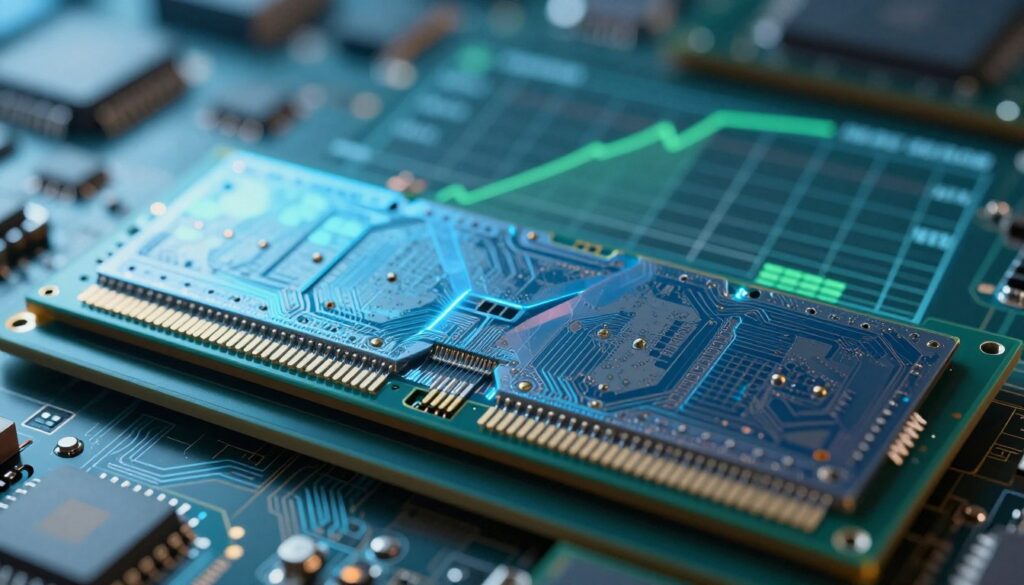
SRAM, the memory used for local buffers, takes a lot of die area. A single bit of SRAM uses far more silicon than a bit in main ram. That means adding size quickly swallows valuable real estate on the processor die.
Even ignoring one half of a Zen 3 core, the 32+32K L1 and 512K L2 blocks already claim a large portion of the chip. Growing those pools forces trade-offs with cores, IO, or other features.
More memory also needs more control logic. Larger caches demand complex tags, coherence hardware, and routing. That raises design risk and manufacturing cost, which affects final system pricing.
“Engineers must balance die area and function to keep processors competitive and affordable.”
- SRAM size increases die area and wafer cost.
- Added complexity raises power and design time.
- Designers must weigh larger caches against cores, clocks, and features.
| Constraint | Effect on Chip | Designer Trade-off |
|---|---|---|
| SRAM area | Consumes silicon that could host cores or IO | Limit cache size or reduce core count |
| Control logic | More transistors, higher power | Increase cooling, or lower clocks |
| Manufacturing cost | Fewer good dies per wafer, higher price | Keep size moderate to hit price targets |
In short, I see larger caches as a balancing act. Engineers tune memory size to match system needs and keep performance gains realistic for gamers and applications.
The Relationship Between Die Area and Cost
Every extra square millimeter on a die carries a clear cost and a clear consequence. I look at annotated die shots of Zen 3 cores and see how much real estate goes to the 4MB of shared memory and its control logic.
That visual explains why manufacturers hesitate to add massive pools to every product. More on-die memory raises wafer cost, reduces yield, and pushes retail price up.
Designers must weigh how a larger buffer improves data throughput and game performance against the extra silicon, power, and testing expense required to ship it.
I often note that this trade-off drives different offerings across market tiers. Budget parts keep die area low, while high-end chips accept bigger pools for niche applications and enthusiast builds.
“Allocating too much die to memory can make a great design too expensive for most buyers.”
In short, area equals cost, and that math shapes which chips get the biggest caches and which focus on cores, clocks, or IO instead.
How Cache Evolution Drives Gaming Hardware
Recent microarchitectural shifts show how on-die memory shapes real gaming wins.
I saw a concrete example when Intel moved from Alder Lake to Raptor Lake. The bigger mid-level pool grew by about 63% and that change moved frame rates in many titles.
Raptor Lake’s gains came from smarter data handling, not just raw clocks. Larger local stores let threads share hot sets with fewer trips to system memory, so games feel smoother.
I now view levels of fast storage as equal partners to core counts. Manufacturers tune these layers to lift system performance for modern applications and gaming.
| Generation | Key Change | Impact on Gaming |
|---|---|---|
| Alder Lake | Baseline mid-level memory | Good multi-thread balance |
| Raptor Lake | ~63% larger L2 | Improved frame pacing and lower stutter |
| Trend | More on-die memory & smarter management | Higher efficiency across cores, better system performance |
“As designs evolve, caching tech will steer future hardware choices more than raw core counts.”
Future Trends in Processor Caching Technology
I see caching moving from a smart add-on to a core design pillar across chips.
Graphics designs already prove the point. NVIDIA’s Ada Lovelace raised L2 by eight times to offset narrower memory buses. AMD used Infinity Caches in RDNA 2 to cover bandwidth gaps.
Expect more. I think GPUs will keep expanding local fast stores, and NPUs may gain dedicated caches to serve AI data sets. That change will push new types of memory into every level of a system.
From gaming to inference, caching will shape how data moves and how quickly applications respond. As core speeds climb, keeping hot sets nearby will be vital to system performance.
“Designers will lean on smarter local stores to sustain higher speeds and richer workloads.”
- More sophisticated caching across levels reduces trips to main memory.
- Bespoke caches in accelerators will speed AI and graphics workloads.
- Smarter tags and coherence logic will make larger pools practical.
Conclusion
I hope this guide helped you see why a larger shared pool near the cores matters for real-world performance. Keeping frequently used data close cuts trips to slow system ram and reduces stalls during intensive loads.
I walked through how small, fast buffers act as a high-speed layer that keeps threads fed. From early 486 steps to modern 3D V-Cache, evolution in design keeps improving responsiveness and frame pacing.
In short, knowing these trade-offs saves you time and helps pick parts that match your needs. Use this knowledge when you build or upgrade to get smoother gameplay and better overall performance.
FAQ
How does L3 cache size affect gaming performance?
I find that larger amounts of shared third-level memory often reduce stutter and improve frame consistency in modern titles. More on-chip storage means the processor can keep frequently used assets and game instructions closer, cutting trips to main memory and lowering latency. That usually boosts minimum frame rates and smoothing during complex scenes.
What is the basic role of processor-level shared memory?
I use shared third-level storage as a buffer between per-core fast memory and system RAM. It stores data and instructions that multiple cores may need, improving data access times and overall multitasking efficiency. This layer helps balance workloads across cores in multi-threaded games and applications.
Why does a processor need extra layers of memory?
I rely on layered buffering because main memory is much slower than on-chip storage. Without intermediate layers, the core spends too much time waiting for data. These layers reduce idle cycles, let the chip process more instructions per second, and improve responsiveness for interactive workloads like gaming.
What is the problem of memory latency?
I see latency as the delay between requesting data and receiving it from system RAM. High latency forces cores to stall, which hurts performance. The hierarchy of fast, small stores minimizes those stalls by keeping the most used data closer to the processing units.
How do caches bridge the speed gap between cores and RAM?
I observe that the hierarchy stores recent and frequently accessed data in progressively larger, slightly slower buffers. That way, most accesses hit a nearby level; only uncommon requests go to main memory. This tiered approach significantly lowers average access time and keeps cores fed with data.
How are cache levels organized in a processor?
I explain that caches are arranged in levels: the closest level is smallest and fastest, then progressively larger and slower. The top levels serve single cores while higher shared levels serve multiple cores. This structure balances speed, size, and cost effectively.
How does the first-level school of memory work inside a core?
I describe the first-level store as the fastest buffer directly attached to a core, holding the most immediate instructions and small data elements. Its tiny size keeps access times extremely low, which is essential for executing hot code paths without delay.
Why separate instruction and data stores at the first level?
I separate them to avoid contention. Having distinct instruction and data buffers lets the core fetch code and read/write data simultaneously, improving throughput and avoiding delays that would occur if both competed for the same small resource.
What role does the second-level buffer play?
I use the mid-level buffer as a larger staging area for data that no longer fits in the first level. It reduces the number of accesses to the higher shared layer and helps manage data lanes between cores and the shared storage, improving hit rates for ongoing tasks.
Why is the shared third-level memory important for modern systems?
I find the shared top-tier buffer critical because it coordinates data across multiple cores. It stores assets and threads’ working sets that benefit from being accessible system-wide, which improves scalability in multi-threaded games and rendering workloads.
How do on-chip buffer speeds compare to main memory?
I note that on-chip storage runs at much lower latency and higher bandwidth than DRAM. The difference often measures in tens to hundreds of times faster access, which translates directly into fewer stalls and higher sustained processing rates.
How does latency impact processing efficiency?
I explain that higher latency reduces instructions per cycle because cores wait for data. Lower latency lets the processor maintain instruction pipelines and execute more work per second, improving single-threaded and multi-threaded performance alike.
How does keeping frequently accessed data on-chip improve gaming?
I find that keeping textures, sprites, and hot code paths in fast on-chip stores reduces hitching and load spikes. That leads to steadier frame times and a smoother experience, especially in open-world and simulation games where asset streaming is heavy.
How do systems manage complex game assets with limited fast storage?
I describe how intelligent prefetchers, replacement policies, and software streaming prioritize what stays on-chip. Developers and drivers also help by organizing data to be cache-friendly and by streaming assets in predictable patterns to improve hits.
How does on-chip buffering reduce main memory bottlenecks?
I point out that by absorbing many accesses locally, on-chip storage cuts traffic to RAM. That lowers bus contention and frees system memory bandwidth for transfers that truly need it, improving overall throughput for CPU and GPU workloads.
What real-world gains can I expect from larger shared memory pools?
I observe that gains vary by title and workload. Some games show noticeable boosts in minimum frame rates and reduced stutter, while others see modest improvements. Multi-threaded applications and workloads with large working sets benefit the most.
What is 3D stacked V-Cache and why does it matter?
I explain that 3D stacked vertical memory adds extra on-chip storage by layering SRAM atop the processor die. This method increases capacity without drastically growing the footprint, delivering performance improvements for cache-sensitive workloads.
Why can’t manufacturers just keep increasing cache size?
I point out several limits: on-chip static RAM takes die area, raises power draw, and increases cost. Engineering trade-offs force designers to balance capacity against clock speeds, power efficiency, and thermal limits.
What physical limits does SRAM face on a chip?
I mention that SRAM cells are large compared with logic, consume static power, and complicate routing. These characteristics make exponential growth impractical without new packaging or process innovations.
How does die area affect the price of processors?
I explain that larger dies reduce yield and increase manufacturing expense. Adding more on-chip storage inflates silicon area, which raises per-unit cost and affects how affordable high-capacity designs can be.
How has cache development shaped gaming hardware over time?
I see cache evolution as a key enabler of modern gaming. Bigger, smarter buffers have allowed developers to create richer worlds by reducing streaming penalties and enabling faster asset access on the CPU side.
What are future trends in processor buffering technology?
I expect more layered and heterogeneous memory, better prediction algorithms, and advanced packaging like chiplets and stacked memory. These trends aim to increase capacity and bandwidth without sacrificing power or cost.

Adrian Wolfe is a hardware specialist focused on CPUs, system performance, and computing architecture. He provides detailed insights, benchmarks, and optimization tips to help users get the most out of their processors, whether for gaming, productivity, or high-performance workloads.